
- Access the SafeWrite Hub
-
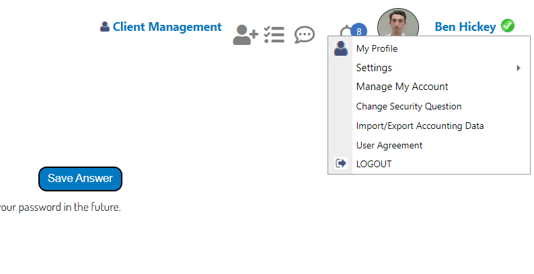
Click your name in the top right corner > Select “Manage My Account”
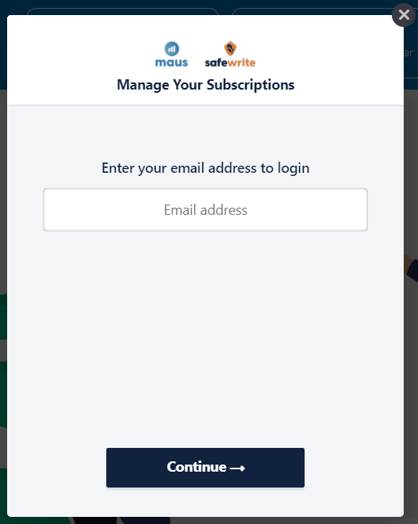
- A pop up will appear, where you will need to fill in your account email address (Note: This needs to be the one attached to your billing)
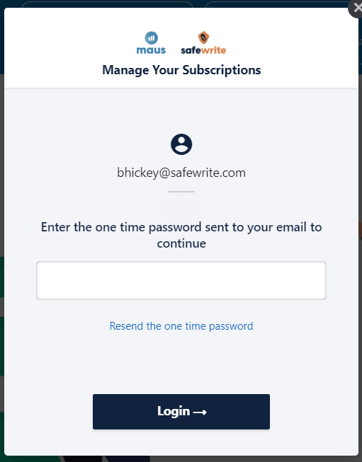
- You then need receive a drop down box, where you will need to apply the unlock code provided to that email (Note: If you do not receive this instantly, please check your Junk/Spam)
- From here you will now be able to 'Manage your Account'
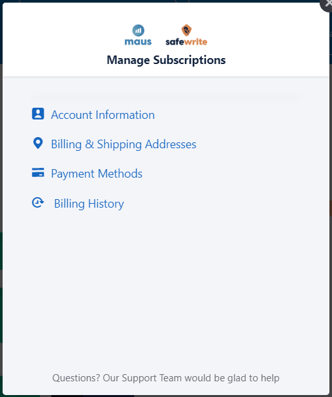
- From here you will now be able to 'Manage your Account'. This includes, easily adding/updating your payment method, reviewing your invoice history and more.