
The Business Questionnaire section is your home for your Exit Planning Business Score, and where you can launch your Business Questionnaires!
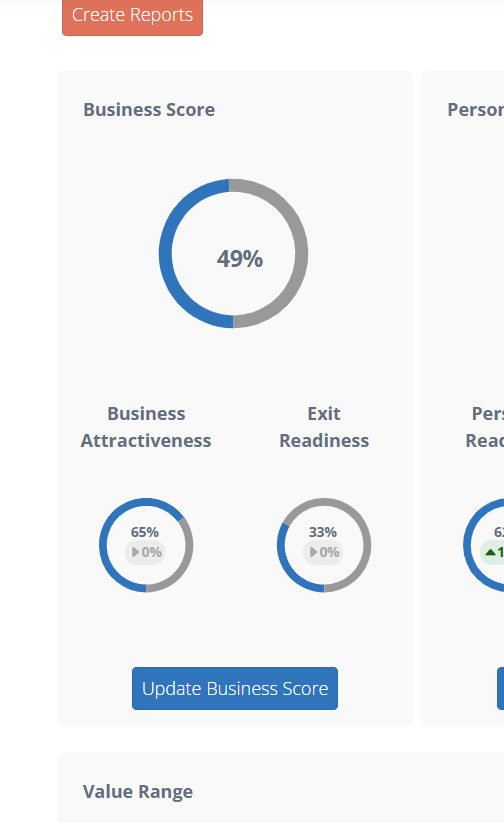 From the Exit Planning Dashboard, you can access the Business Score section via the "Update Business Score prompt.
Within the Business Questionnaire area in the Exit Planning Dashboard, you will be able to:
- Review the current scores for your Business Questionnaires, which by default will be the Business Attractiveness Questionnaire and the Exit Readiness Questionnaire.
- Launch your first Questionnaire or continue and existing Questionnaire via the "Assess" prompt next to the corresponding Questionnaire.
- Perform a speculative analysis by adjusting your scores with the sliders, and reviewing their corresponding location on the chart. These adjustments can be reset via the "Reset Score to Actual" prompt.
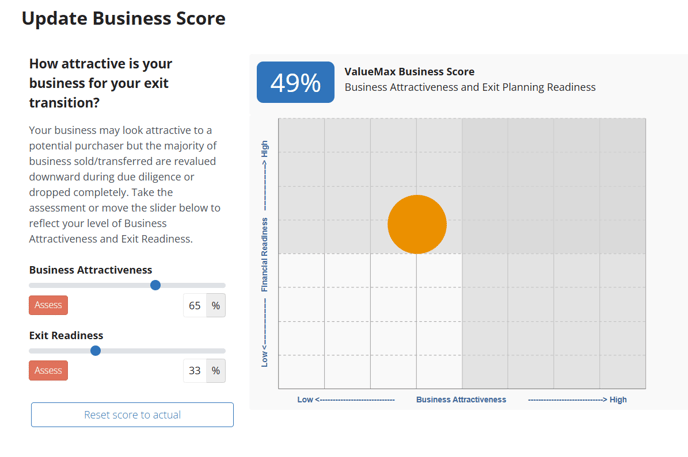
At their core, these Questionnaires are designed to recur, and for the scores on this screen to improve with each recurrence. When you select "Assess", your Questionnaire will be created and you will be able to input your responses immediately.
If you would like to better understand the Questionnaire response process, and how you can maximize the value from your response, we recommend reviewing THIS article.
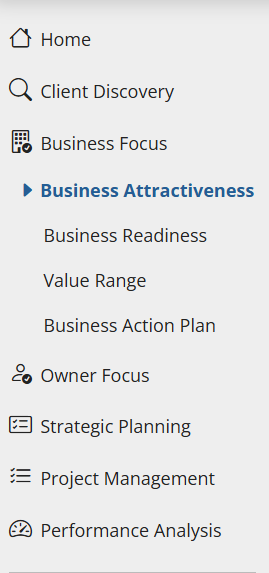
Additionally, you are able to access both Business Questionnaires directly from the left hand menu, via the Business Focus menu heading:
Please be aware, your scores here will be reflected within the Value Range section of the Exit Planning Dashboard, and will help you better understand where you may sit within your multiple range, so please take special care in when inputting the results for your Business Questionnaires.